
PHP Manager
GM Desktop PHP Manager is a visual management tool for PHP runtime environments on Linux servers. It provides an intuitive graphical interface covering seven core modules: Console, Configuration, Disabled Functions, Performance, Logs, phpInfo, and Extensions, with multi-version PHP installation and switching support.
Core Features
| Module | Purpose | Core Capabilities |
|---|---|---|
| Console | Runtime Monitor | Basic info, connection queue, process status, anomaly monitoring |
| Configuration | Parameter Config | Common, limits, session, config file, FPM config file |
| Disabled Functions | Security | Enable/disable dangerous PHP functions |
| Performance | Tuning | PHP-FPM process pool and performance parameter tuning |
| Logs | Log Viewer | PHP runtime logs and slow logs |
| phpInfo | Environment | Complete PHP runtime environment info |
| Extensions | Extension Mgmt | PHP extension installation and management |
Initialization
Smart Detection & Multi-Version Installation. When opening PHP Manager for the first time, the system automatically detects PHP installation status.
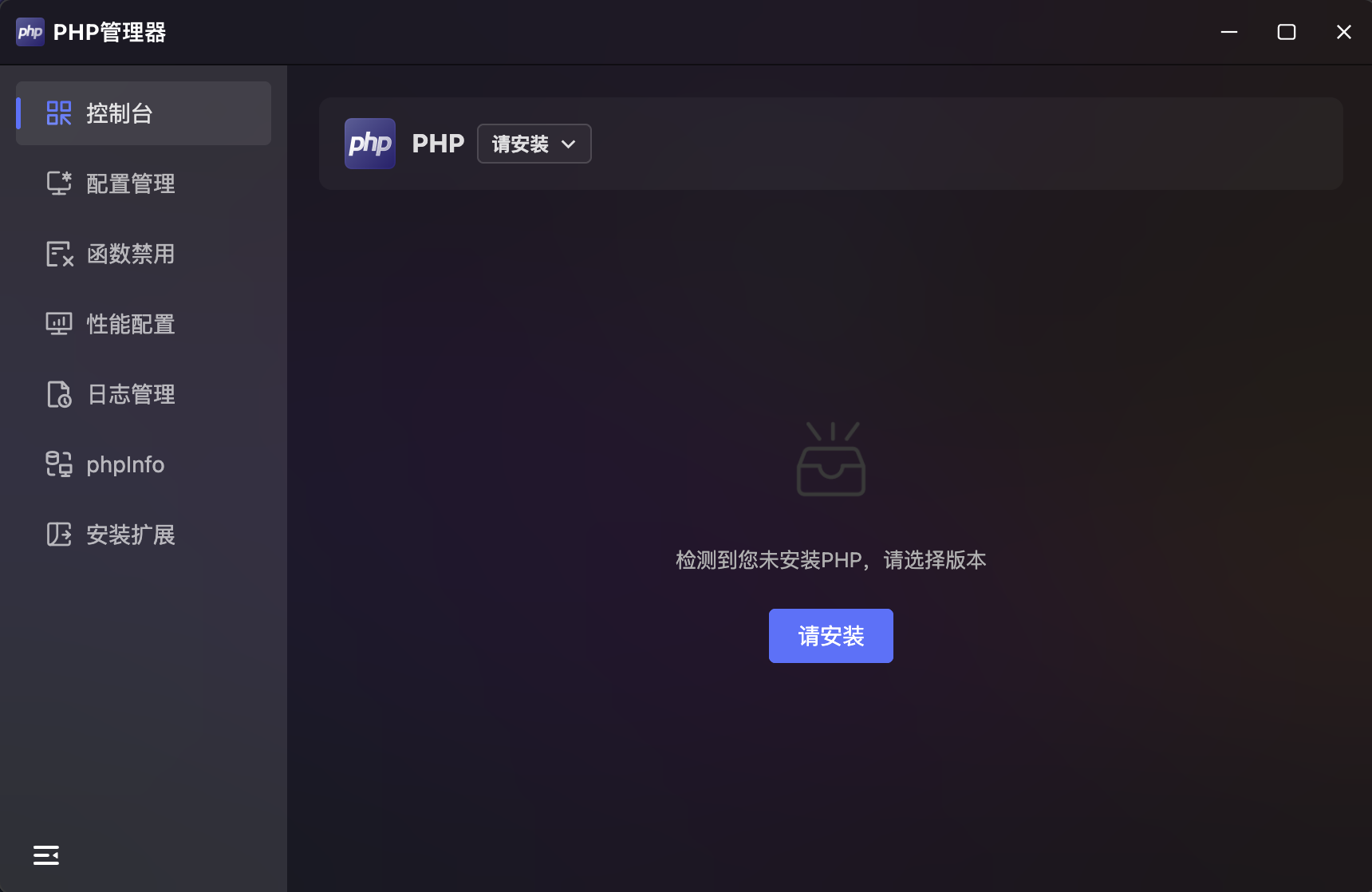
- Auto Detection: If PHP is not detected, the page prompts "PHP not installed, please select a version".
- Version Selection: Click the "Install" button or the top version dropdown to open the "PHP Version Management" panel.
Version Management
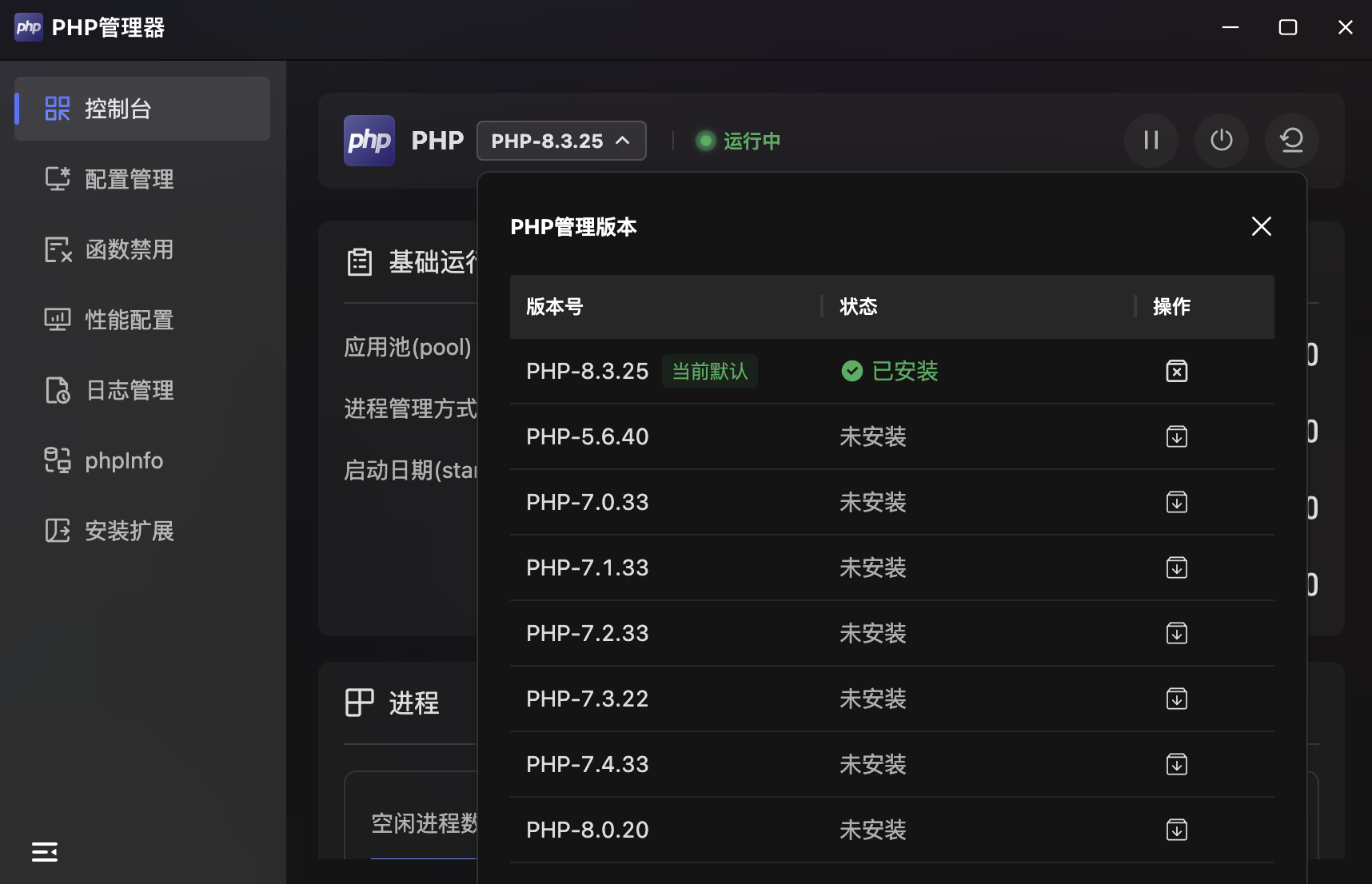
- Version List: Table showing all available PHP versions with version number, status, and actions.
- Multi-Version Coexistence: Supports installing multiple PHP versions simultaneously, switching via the top dropdown menu.
- Current Default: The installed version marked as "Current Default" is the primary running version.
Console
PHP-FPM Runtime Status Monitor. The Console module displays PHP-FPM status and performance metrics in a dashboard format.
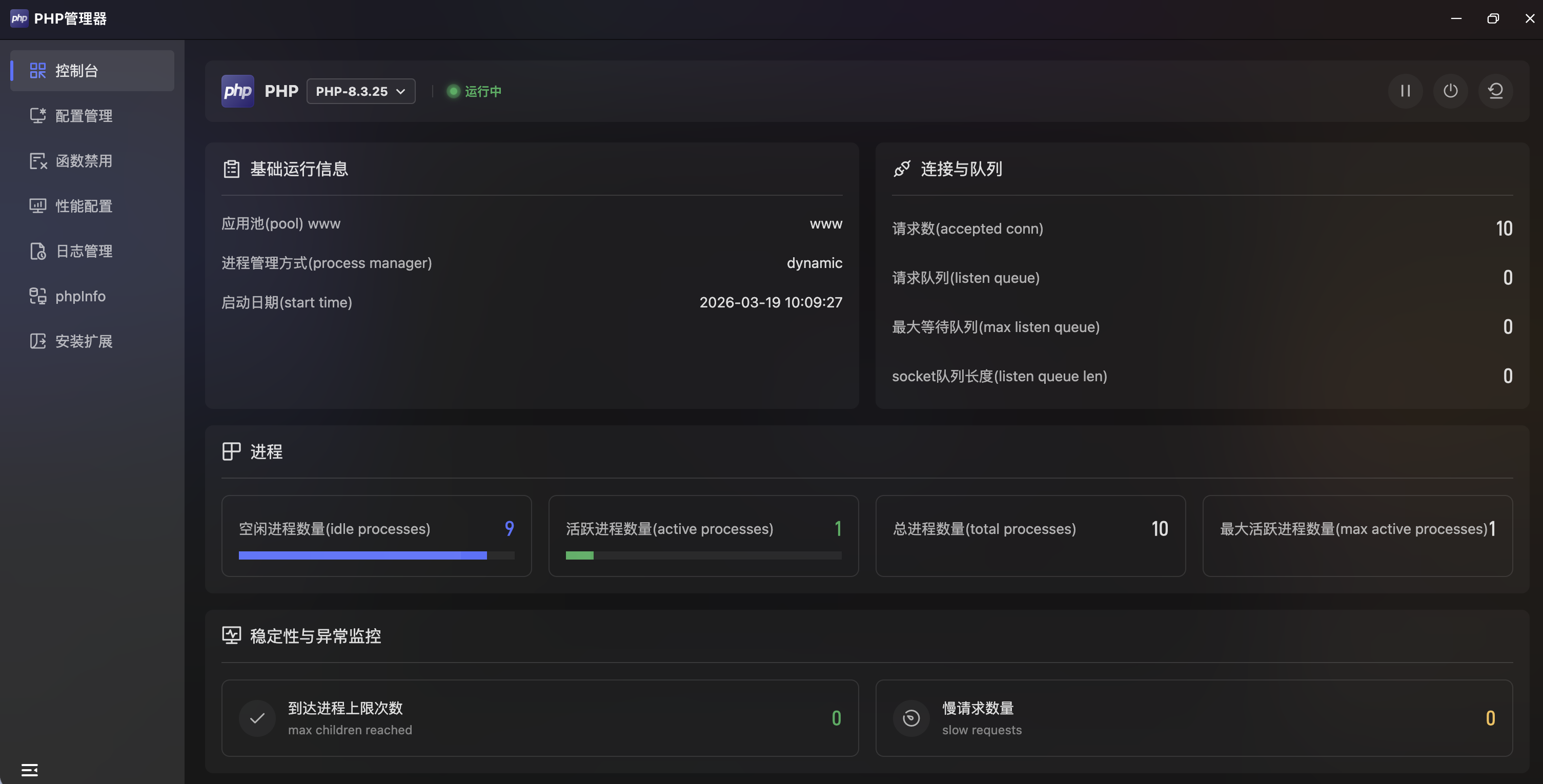
- Runtime Status: Header shows current PHP version (e.g.,
PHP-8.3.25) and service status ("Running"), green indicates normal operation. - Quick Actions: Three buttons in the top-right for one-click pause, stop, and restart.
Basic Runtime Info
| Metric | Description | Example |
|---|---|---|
| Pool | Current PHP-FPM process pool name | www |
| Process Manager | Process management mode | dynamic |
| Start Time | PHP-FPM service start time | 2026-03-19 10:09:27 |
Connections & Queue
| Metric | Description |
|---|---|
| Accepted Conn | Total accepted requests |
| Listen Queue | Current pending request queue length |
| Max Listen Queue | Historical maximum queue length |
| Listen Queue Len | Socket listen queue length |
Processes
Displayed with progress bars and numeric values:
| Metric | Description |
|---|---|
| Idle Processes | Currently idle processes |
| Active Processes | Currently processing requests |
| Total Processes | Total processes in the pool |
| Max Active Processes | Historical maximum active processes |
Stability & Anomaly Monitoring
| Metric | Description |
|---|---|
| Max Children Reached | Times the process limit was reached; increase max_children if frequent |
| Slow Requests | Requests exceeding the slow threshold |
Configuration
Visual PHP Parameter Configuration. The Configuration module provides five tabs covering all dimensions of PHP runtime configuration.
Common Settings
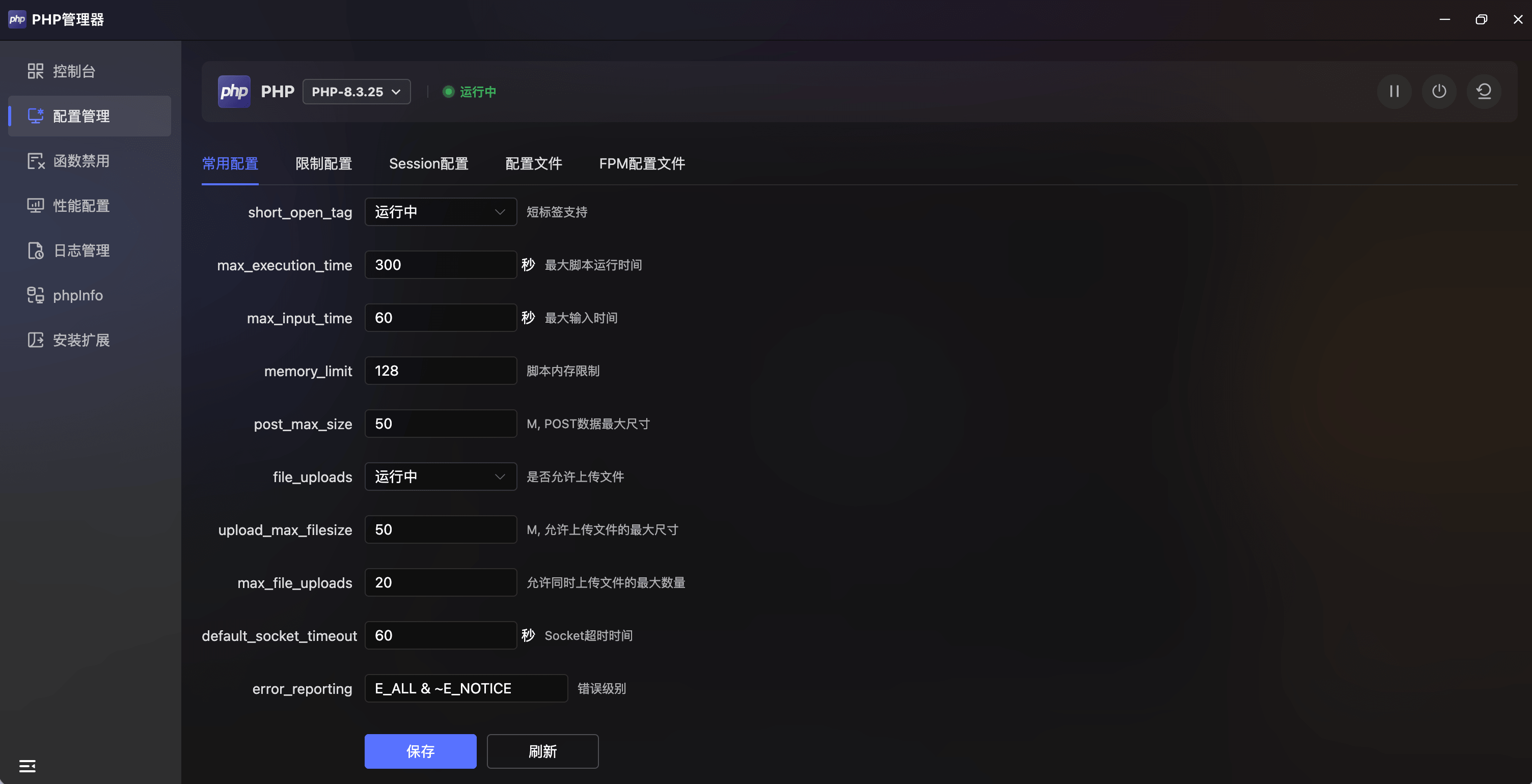
Key PHP parameters in form layout:
| Parameter | Example | Unit | Description |
|---|---|---|---|
short_open_tag | Running | — | Short tag support (<? syntax) |
max_execution_time | 300 | sec | Maximum script execution time |
max_input_time | 60 | sec | Maximum input time |
memory_limit | 128 | — | Script memory limit |
post_max_size | 50 | MB | Maximum POST data size |
file_uploads | Running | — | Whether file uploads are allowed |
upload_max_filesize | 50 | MB | Maximum upload file size |
max_file_uploads | 20 | — | Maximum simultaneous uploads |
default_socket_timeout | 60 | sec | Socket timeout |
error_reporting | E_ALL & ~E_NOTICE | — | Error reporting level |
- Save / Refresh: Click "Save" to write changes, "Refresh" to restore current values.
Limit Settings
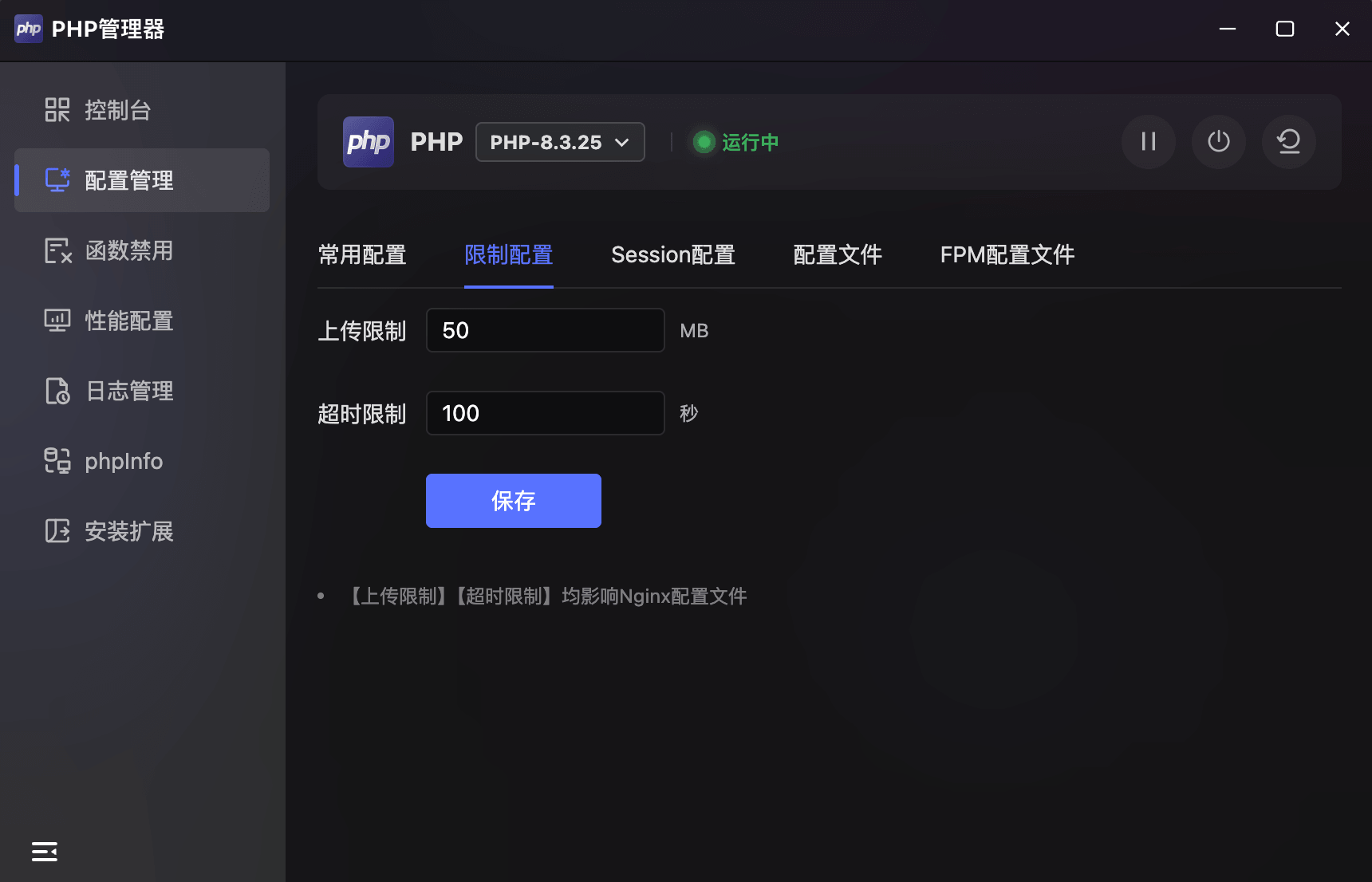
| Parameter | Example | Unit | Description |
|---|---|---|---|
| Upload Limit | 50 | MB | File upload size limit |
| Timeout Limit | 100 | sec | Request timeout |
- Scope: Both settings affect the Nginx configuration file.
Session Settings
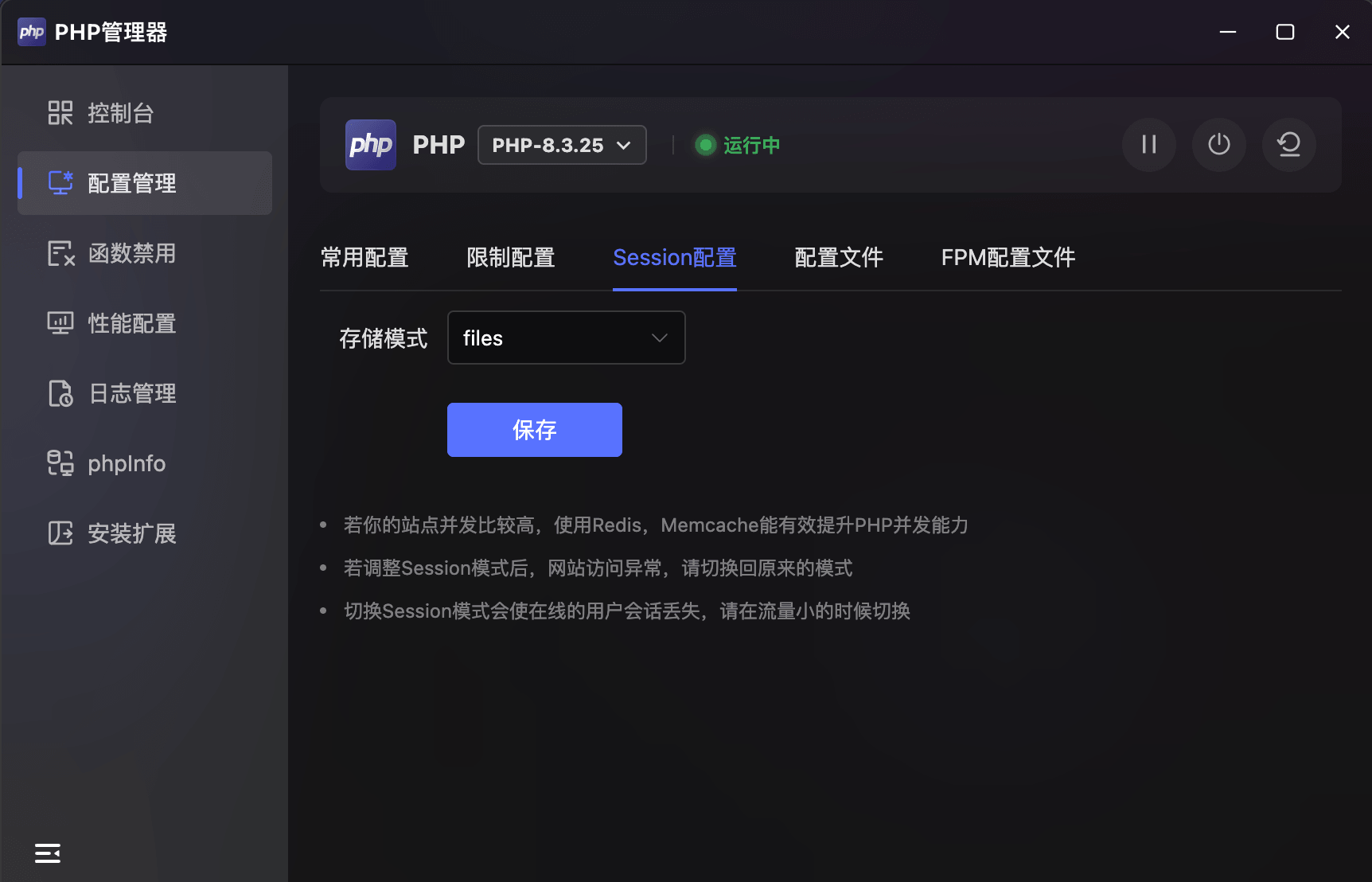
- Storage Mode: Select session storage via dropdown (default
files), with options for Redis, Memcache, etc. - Performance Tip: For high-concurrency sites, Redis or Memcache can effectively improve PHP concurrency.
- Notes:
- If website access becomes abnormal after changing session mode, switch back to the original mode.
- Switching session mode will cause active user sessions to be lost; switch during low-traffic periods.
Config File
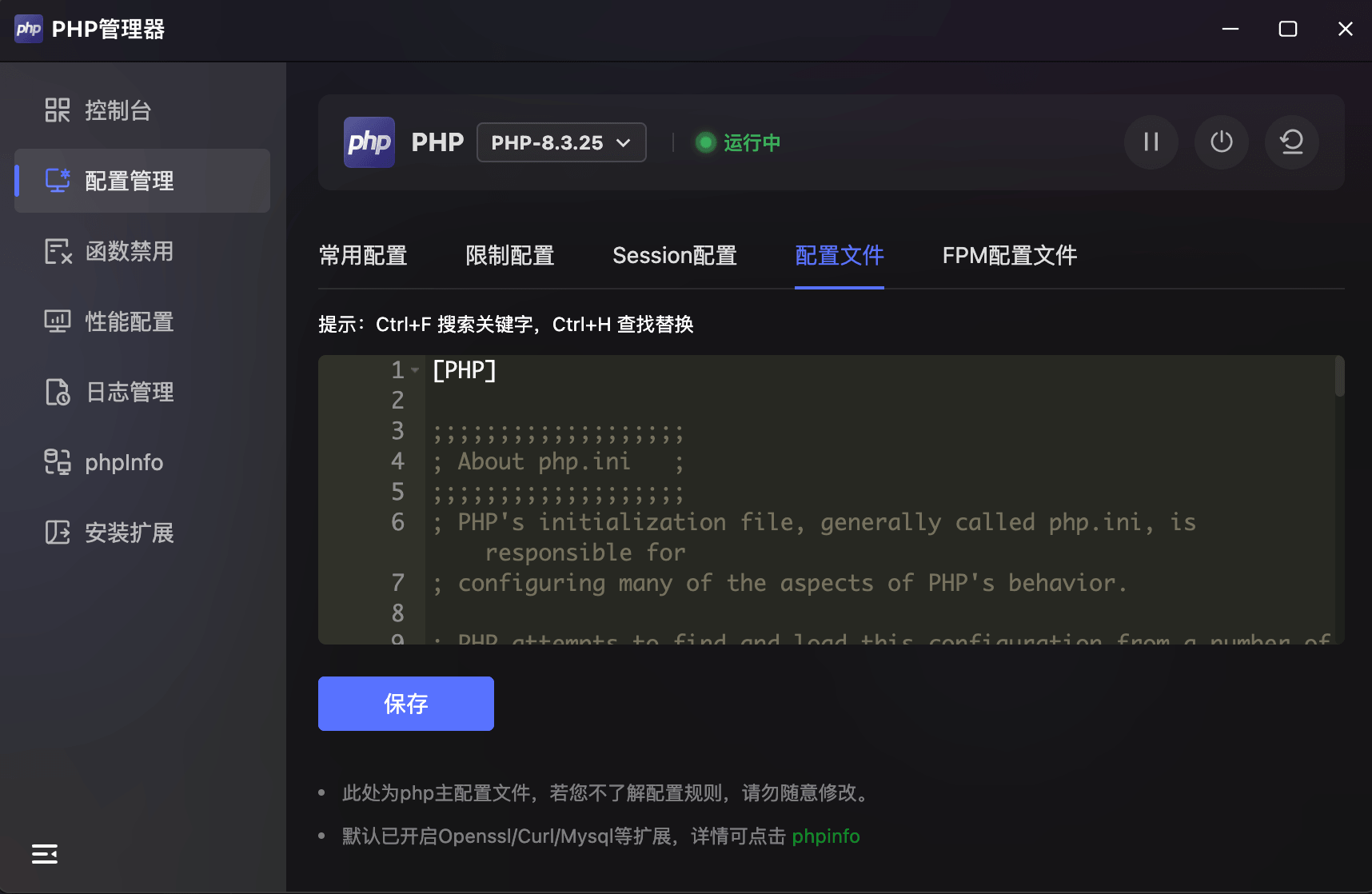
- Code Editor: Displays the full
php.iniconfiguration with line numbers and syntax highlighting, supporting direct editing. - Shortcuts:
Ctrl+Ffor search,Ctrl+Hfor find & replace. - Save: Click "Save" to write changes.
- Note: This is the main PHP config file. Do not modify if unfamiliar with configuration rules. OpenSSL/Curl/MySQL extensions are enabled by default.
FPM Config File
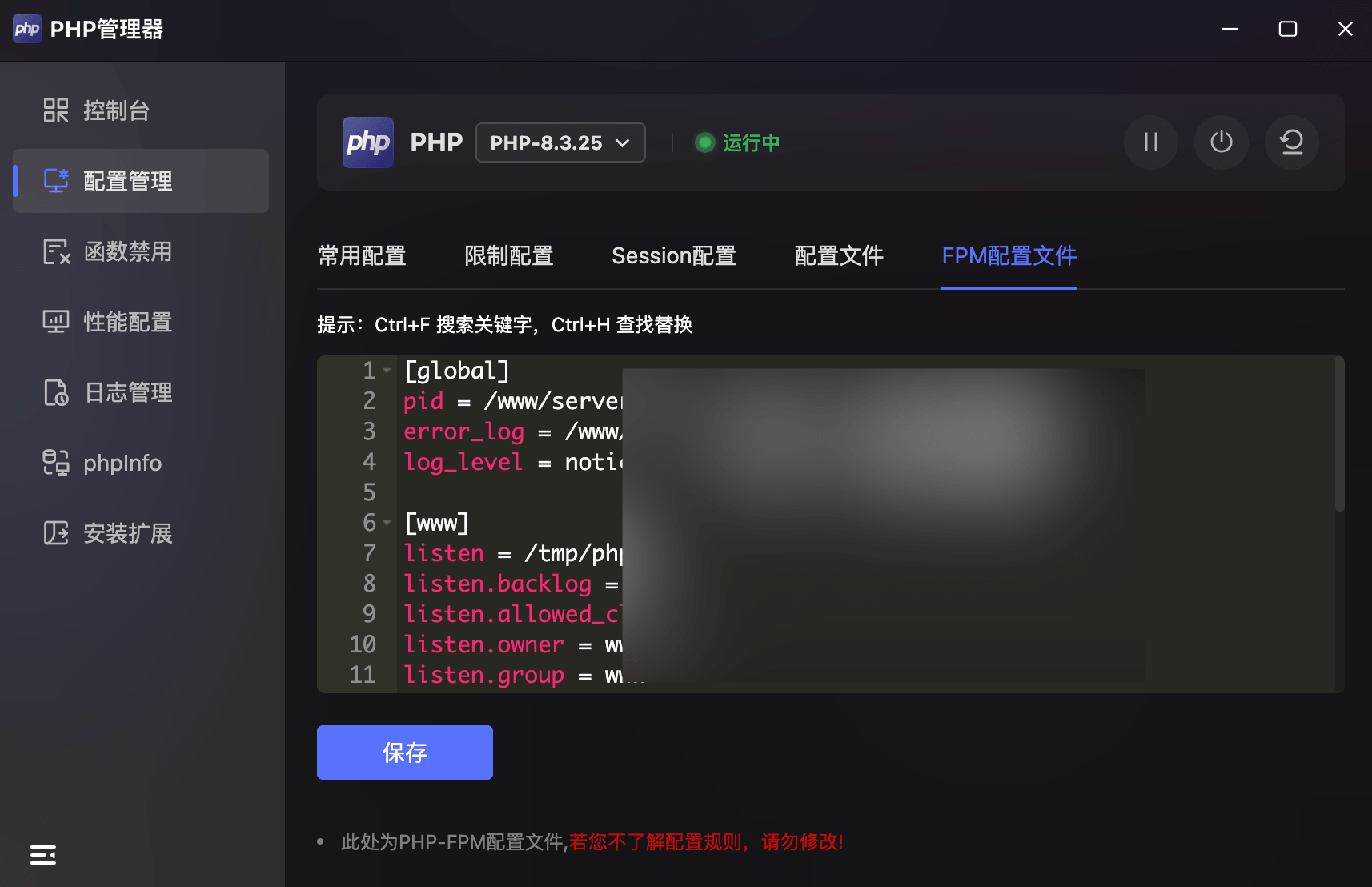
- Code Editor: Displays the PHP-FPM config file (
[global]and[www]sections) with syntax highlighting. - Shortcuts:
Ctrl+Ffor search,Ctrl+Hfor find & replace. - Note: This is the PHP-FPM config file. Do not modify if unfamiliar with configuration rules.
Disabled Functions
PHP Dangerous Function Security Control. Displays all disabled PHP functions in a card grid with search and management capabilities.
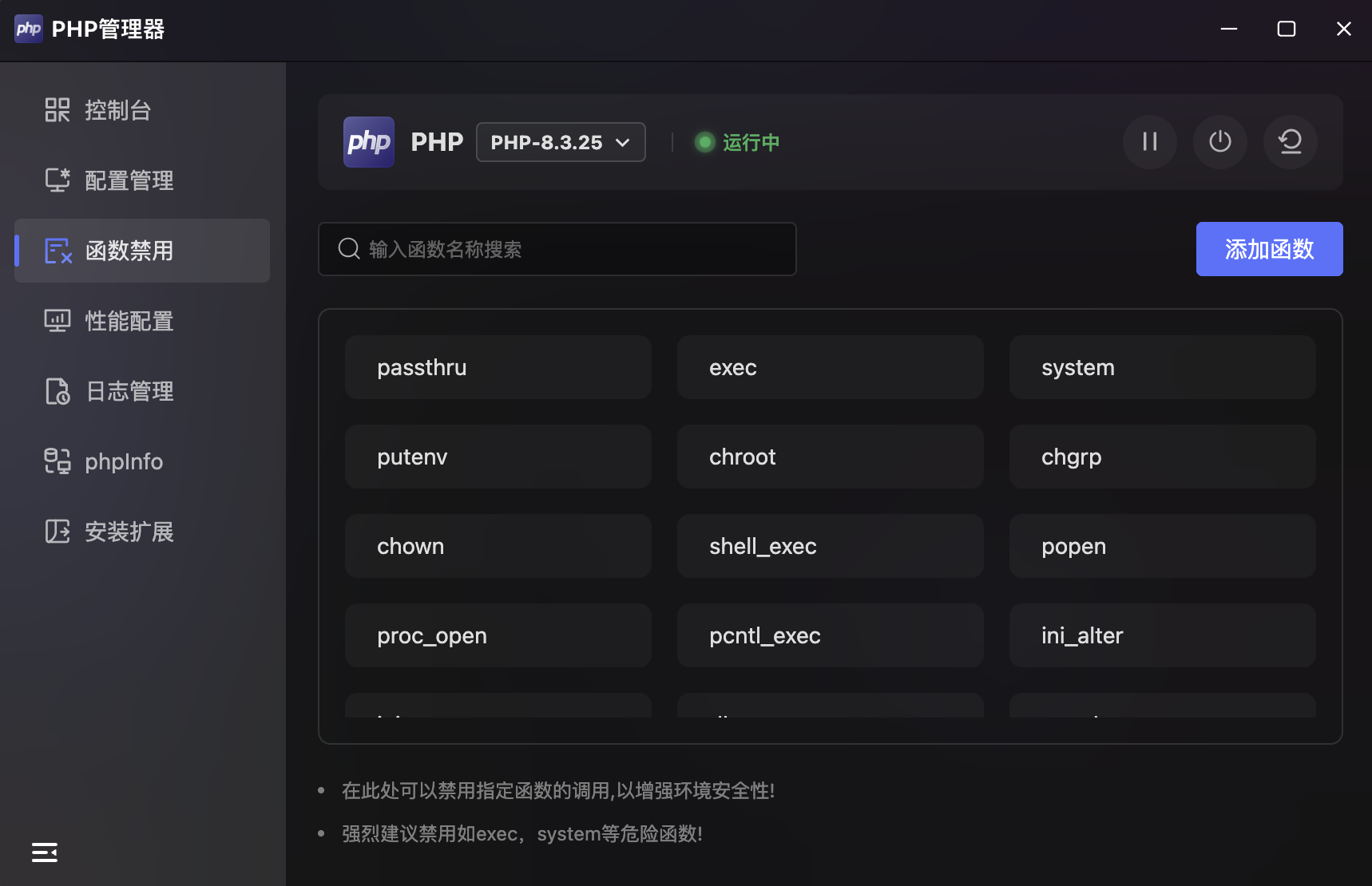
- Disabled Function List: Purple card grid showing all disabled function names (e.g.,
passthru,exec,system,shell_exec,popen,proc_open). - Search: Top search box for quick function lookup.
- Add Function: "Add Function" button in the top-right to add new functions to the disabled list.
- Security Recommendation: Strongly recommended to disable dangerous functions like
execandsystem.
Performance
PHP-FPM Process Pool Tuning. Provides visual configuration of PHP-FPM core performance parameters with preset concurrency plans.
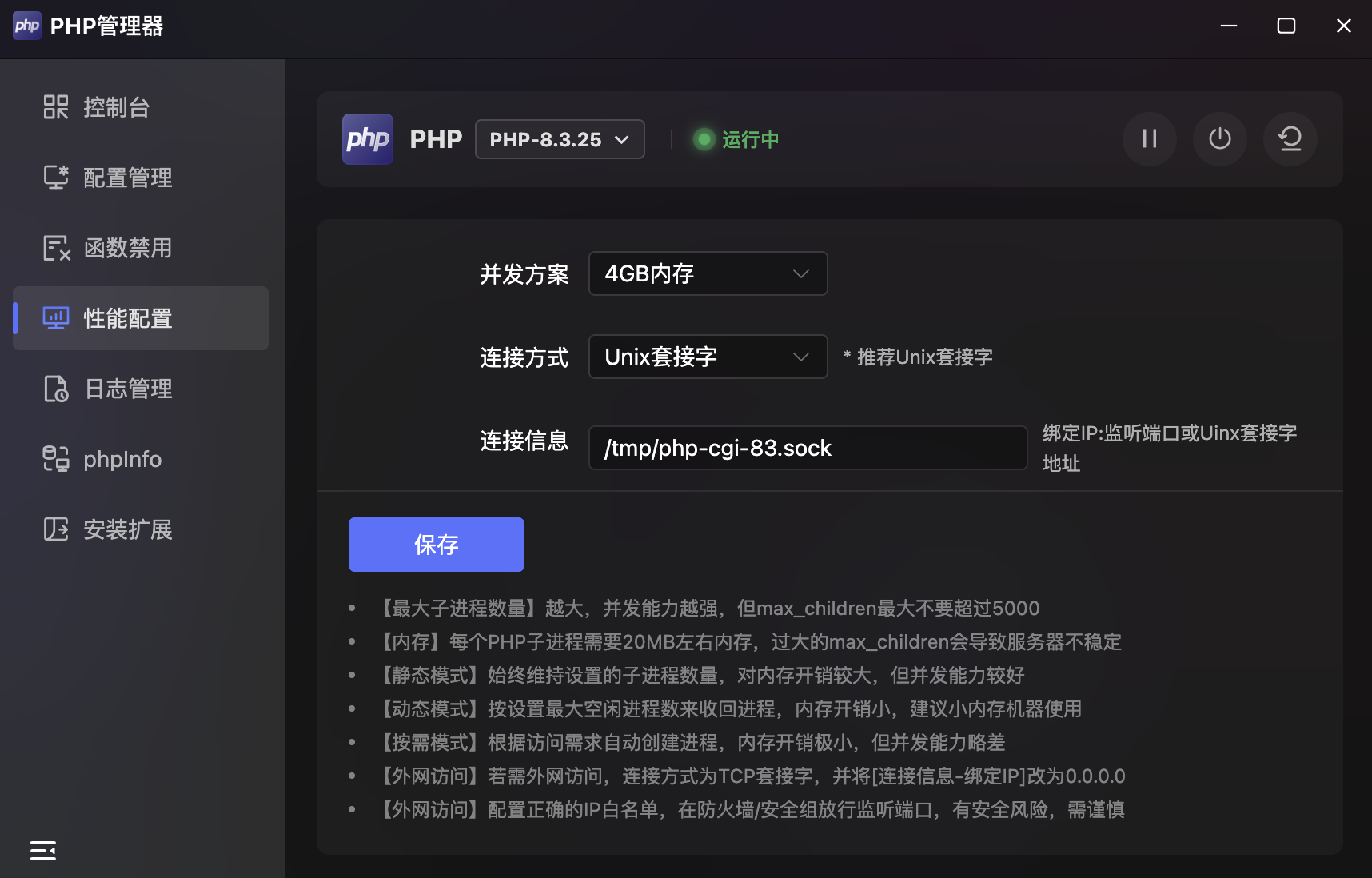
| Parameter | Example | Description |
|---|---|---|
| Concurrency Plan | 4GB Memory | Preset plan based on server memory |
| Connection Type | Unix Socket | Unix socket recommended over TCP |
| Connection Info | /tmp/php-cgi-83.sock | Bind IP, listen port, or socket path |
| IP Whitelist | 127.0.0.1 | Allowed IPs, comma-separated |
| Run Mode | Static | PHP-FPM run mode |
| max_children | 150 | Maximum child processes |
| start_servers | 10 | Initial processes on startup |
- Run Modes:
- Static: Maintains a fixed number of child processes. Higher memory usage but better concurrency.
- Dynamic: Reclaims processes based on max idle setting. Lower memory, recommended for small-memory servers.
- On-Demand: Creates processes based on demand. Minimal memory but slightly lower concurrency.
- Notes:
- Higher
max_children= better concurrency, but do not exceed 5000. - Each PHP child process uses ~20MB memory; excessively high
max_childrenmay cause instability. - For external access, switch to TCP socket, set bind IP to
0.0.0.0, and configure IP whitelist and firewall.
- Higher
Logs
PHP-FPM Runtime & Slow Log Management. Provides "Logs" and "Slow Logs" tabs.
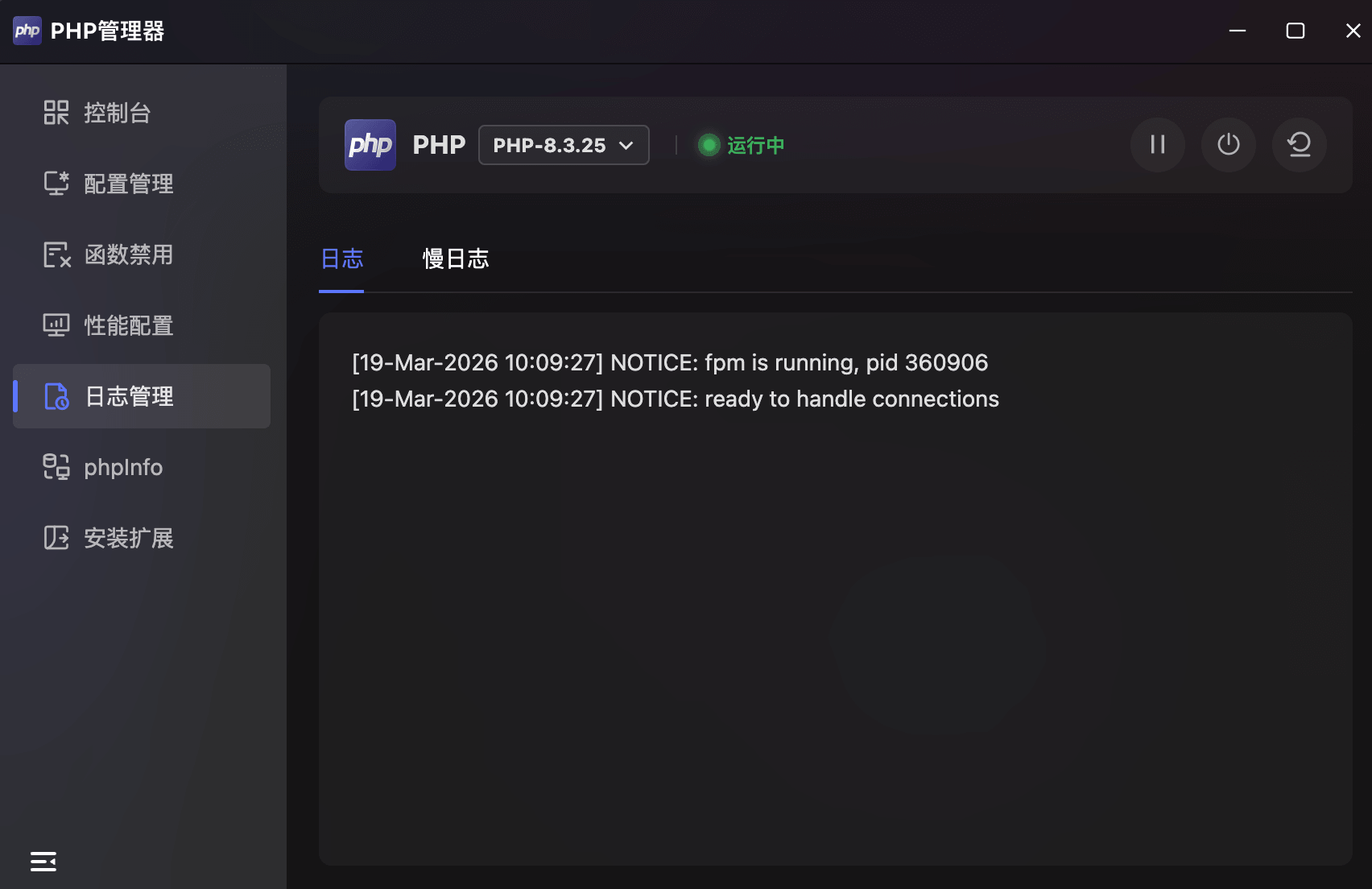
Runtime Logs
- Displays PHP-FPM runtime logs including FPM startup info and connection ready status with precise timestamps.
Slow Logs
- Displays slow request records exceeding the threshold, helping identify performance bottlenecks.
phpInfo
Complete PHP Runtime Environment Info. Displays structured information about the current PHP version.
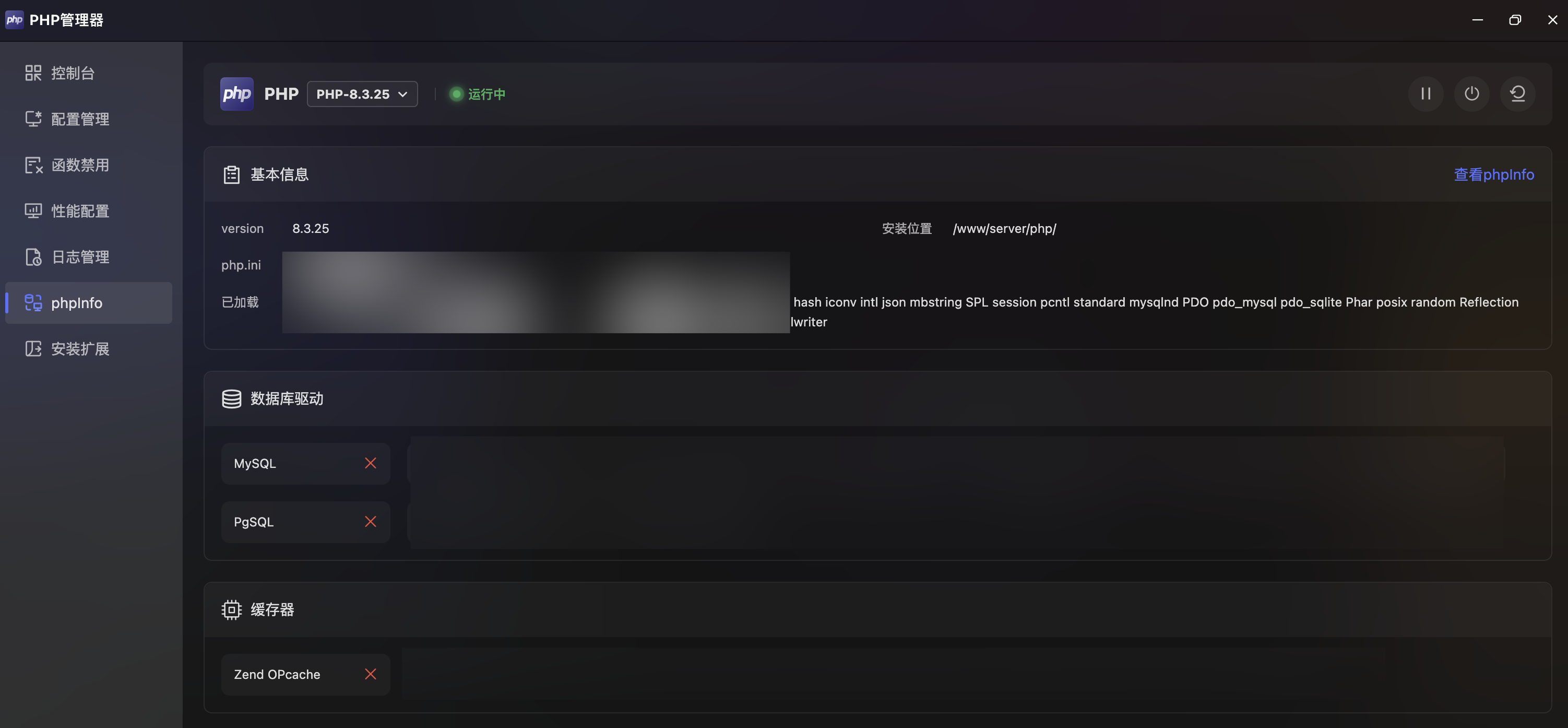
Basic Info
| Item | Description |
|---|---|
| Version | Current PHP version (e.g., 8.3.25) |
| Install Path | PHP installation directory |
| php.ini | Config file path |
| Loaded | List of loaded PHP extension modules |
- View phpinfo: Top-right link to open the full
phpinfo()page.
Extensions
One-Click PHP Extension Installation. Lists all available PHP extensions with one-click install support.
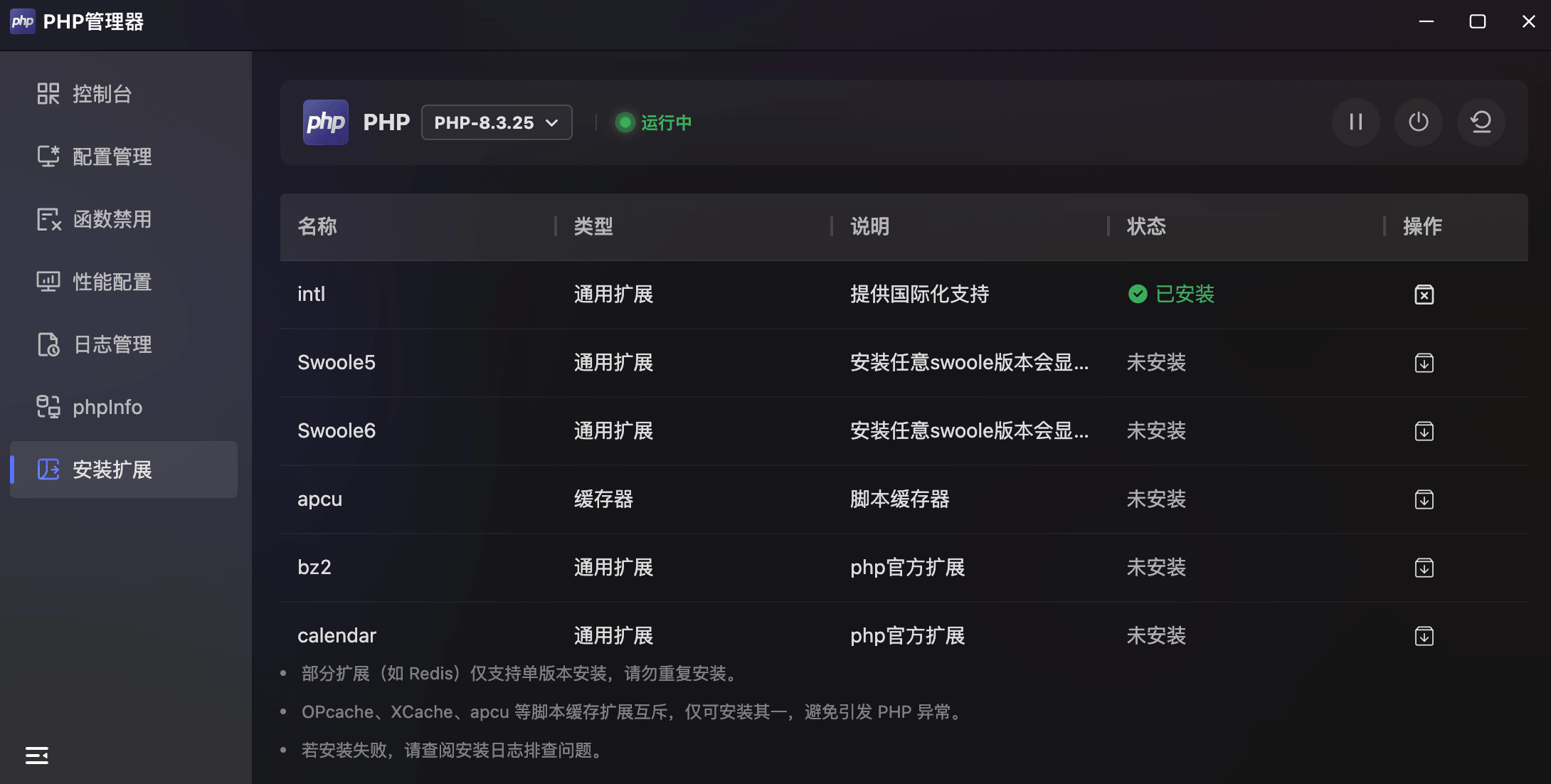
- Extension List:
| Column | Description |
|---|---|
| Name | Extension name (e.g., intl, Swoole5, Swoole6) |
| Type | Category (General / Cache) |
| Description | Extension functionality |
| Status | ✅ Installed / Not installed |
| Action | Install / Uninstall button |
- Notes:
- Some extensions (e.g., Redis) only support single-version installation.
- OPcache, XCache, APCu are mutually exclusive cache extensions — install only one.
- Check installation logs if installation fails.