
Reading Time:1 minute
0 words
Source Manager
GM Desktop Source Manager is a visual tool for managing Linux system software sources. It covers System Source Switching and Common Tools Management, making mirror source configuration and basic software installation effortless.
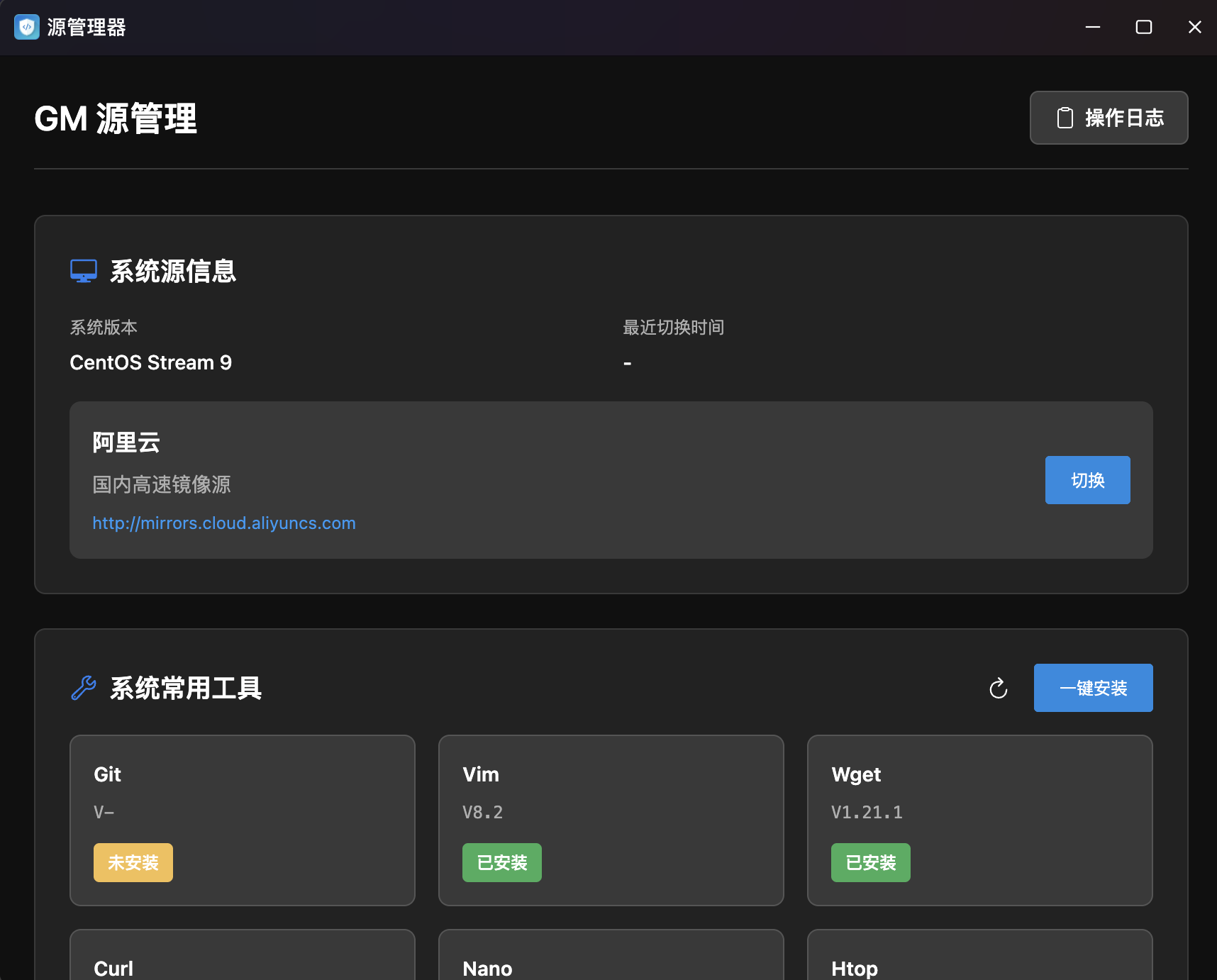
Core Features
| Module | Purpose | Core Capabilities |
|---|---|---|
| System Source Info | Mirror Management | View current source, one-click switch to domestic mirrors, latency speed test |
| System Common Tools | Basic Software Mgmt | Visual display of tool installation status, one-click install missing tools |
System Source Info
One-Click Mirror Source Switching. Displays current system version and mirror source config with one-click switching to high-speed domestic mirrors.
- System Version Detection: Auto-detects and displays OS distribution and version (e.g., CentOS Stream 9).
- Current Source Display: Card showing current mirror name, description, and URL (e.g., Alibaba Cloud — Domestic High-Speed Mirror).
- Last Switch Time: Records the last mirror switch timestamp.
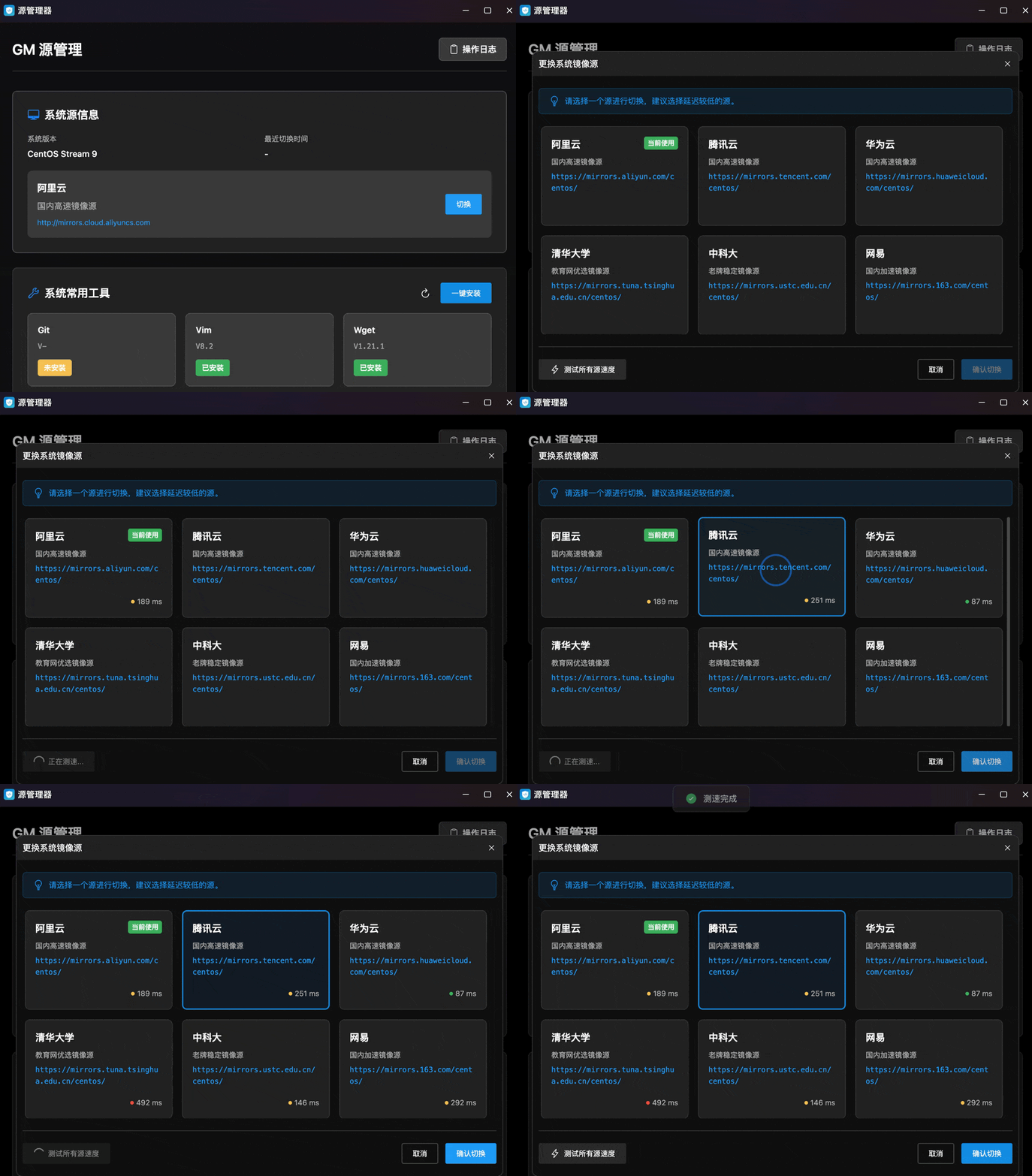
- One-Click Switch: Click "Switch" to open the mirror selection panel.
- Operation Log: Top-right "Operation Log" entry for audit trail.
- Mirror Source Selection: Panel with 6 major domestic mirror sources with latency speed test:
| Mirror | Description | URL |
|---|---|---|
| Alibaba Cloud | Domestic high-speed mirror | https://mirrors.aliyun.com/centos/ |
| Tencent Cloud | Domestic high-speed mirror | https://mirrors.tencent.com/centos/ |
| Huawei Cloud | Domestic high-speed mirror | https://mirrors.huawei.com/centos/ |
| Tsinghua University | Education network optimized | https://mirrors.tuna.tsinghua.edu.cn/centos/ |
| USTC | Long-standing stable mirror | https://mirrors.ustc.edu.cn/centos/ |
| NetEase | Domestic accelerated mirror | https://mirrors.163.com/centos/ |
- Current Source Badge: Active mirror shows green "Currently Using" badge.
- Latency Speed Test: Each card shows real-time latency with color coding (green = low, orange = medium, red = high).
- Test All: Bottom "Test All Source Speeds" button for concurrent latency testing.
- Confirm Switch: Select target mirror and click "Confirm Switch".
System Common Tools
Visual Base Tool Management. Card-grid display of common CLI tool installation status with one-click batch install.
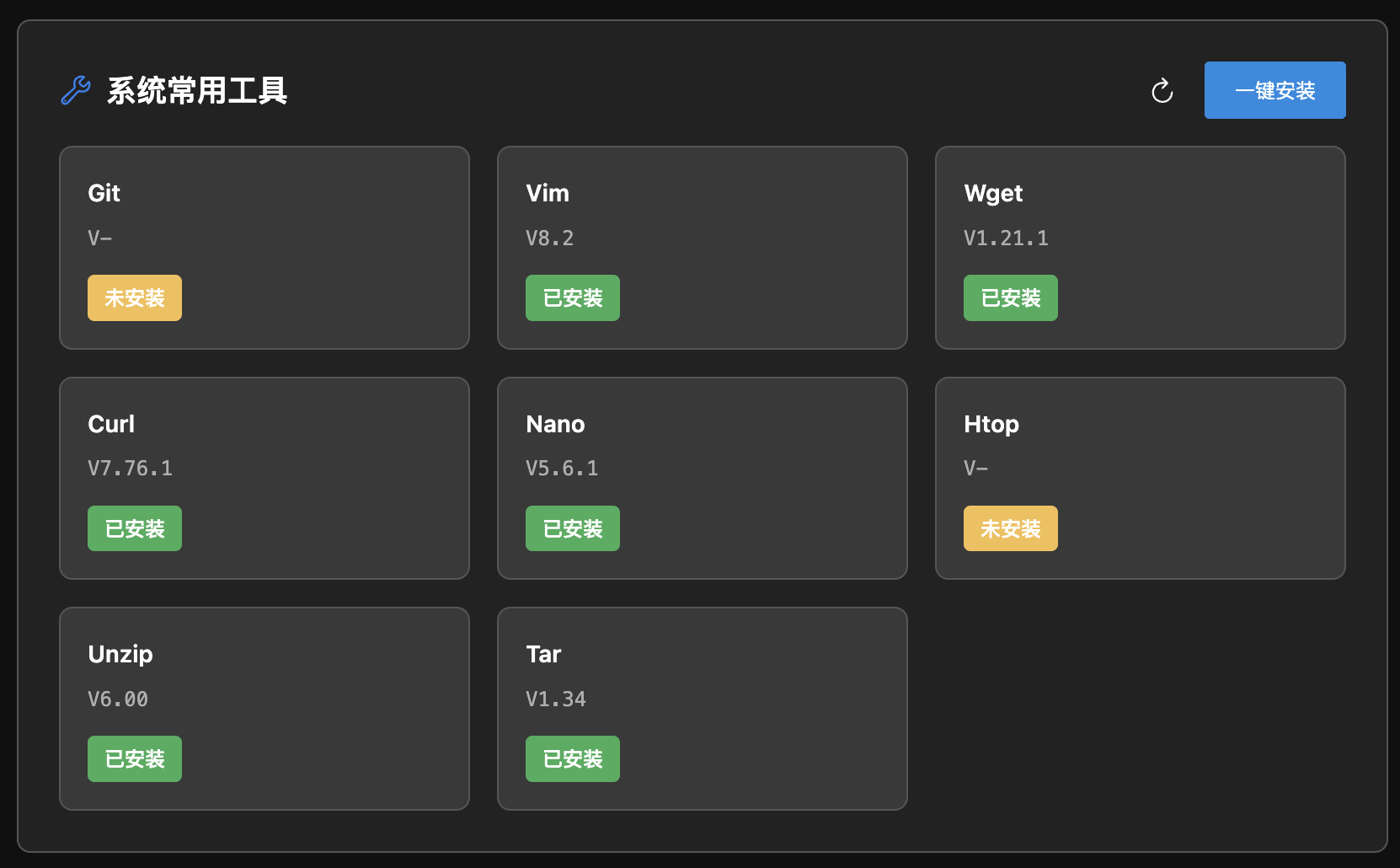
- Tool Cards: Grid layout showing each tool's name, version, and status:
| Tool | Description |
|---|---|
| Git | Distributed version control system |
| Vim | Efficient command-line text editor |
| Wget | Command-line download tool |
| Curl | Data transfer and API debugging tool |
| Nano | Lightweight command-line text editor |
| Htop | Interactive process monitor |
| Unzip | ZIP file extraction tool |
| Tar | Archive and compression tool |
- Status Indicators: Green "Installed" with version number, orange "Not Installed" for missing tools.
- One-Click Install: Top-right button to auto-detect and batch install all missing tools.
- Refresh: Re-scan all tools' installation status and versions.