
Redis Manager
GM Desktop Redis Manager is a visual management tool for Redis databases on Linux servers. It provides an intuitive graphical interface covering Console, Configuration, and Logs, with version switching capabilities.
Core Features
| Module | Purpose | Core Capabilities |
|---|---|---|
| Console | Status Monitor | Service control, server/memory/connection status, key statistics |
| Configuration | Parameter Tuning | General config (bind/port/password) and persistence (AOF/RDB) |
| Logs | Runtime Logs | View and clean Redis logs |
| Version Switch | Version Control | Switch Redis versions |
Initialization
Smart Detection & One-Click Install. On first launch, the system detects Redis installation. If not found, a version selection page guides you through setup.

- Auto Detection: Automatically scans Redis status; prompts "Redis not installed, please select a version" if not found.
- Version Selection: Click "Select" to open the version panel showing:
- Version Number: Target Redis version (e.g.,
6.2.7) - Install Path: Redis binary path
- Config File: Redis config file path
- Switch Version: Switch to other versions if Redis is already installed
- Version Number: Target Redis version (e.g.,
Install Redis
Three installation methods:
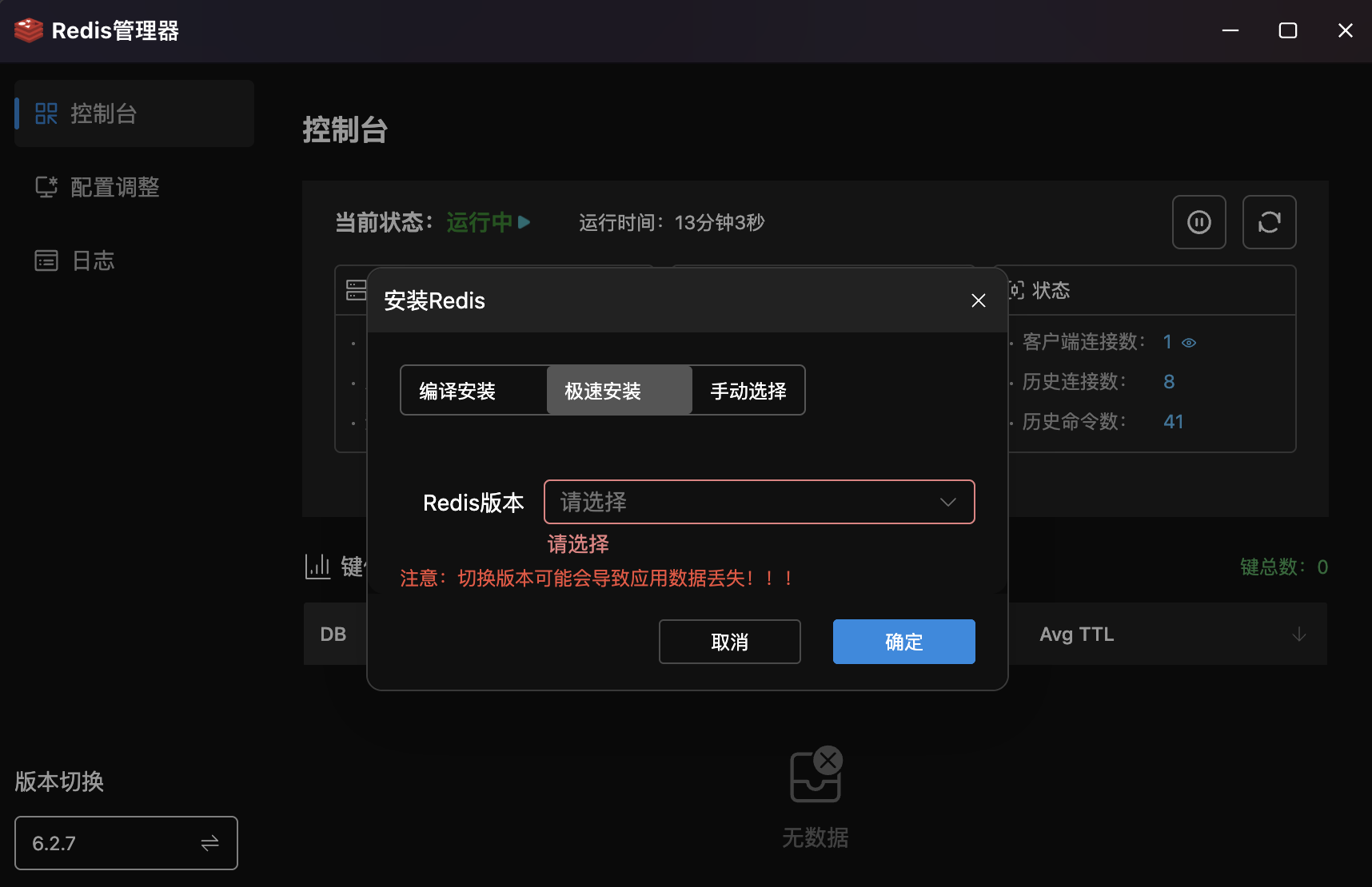
- Compile Install: Build from source for custom performance and module needs.
- Quick Install: Pre-compiled package installation — fastest option.
- Manual Select: Specify an existing Redis binary path.
- Safety Warning: Warns about potential data loss when switching versions.
Console
Real-Time Redis Status Monitor. Dashboard display of Redis service status, resource usage, key distribution, and detailed status info.
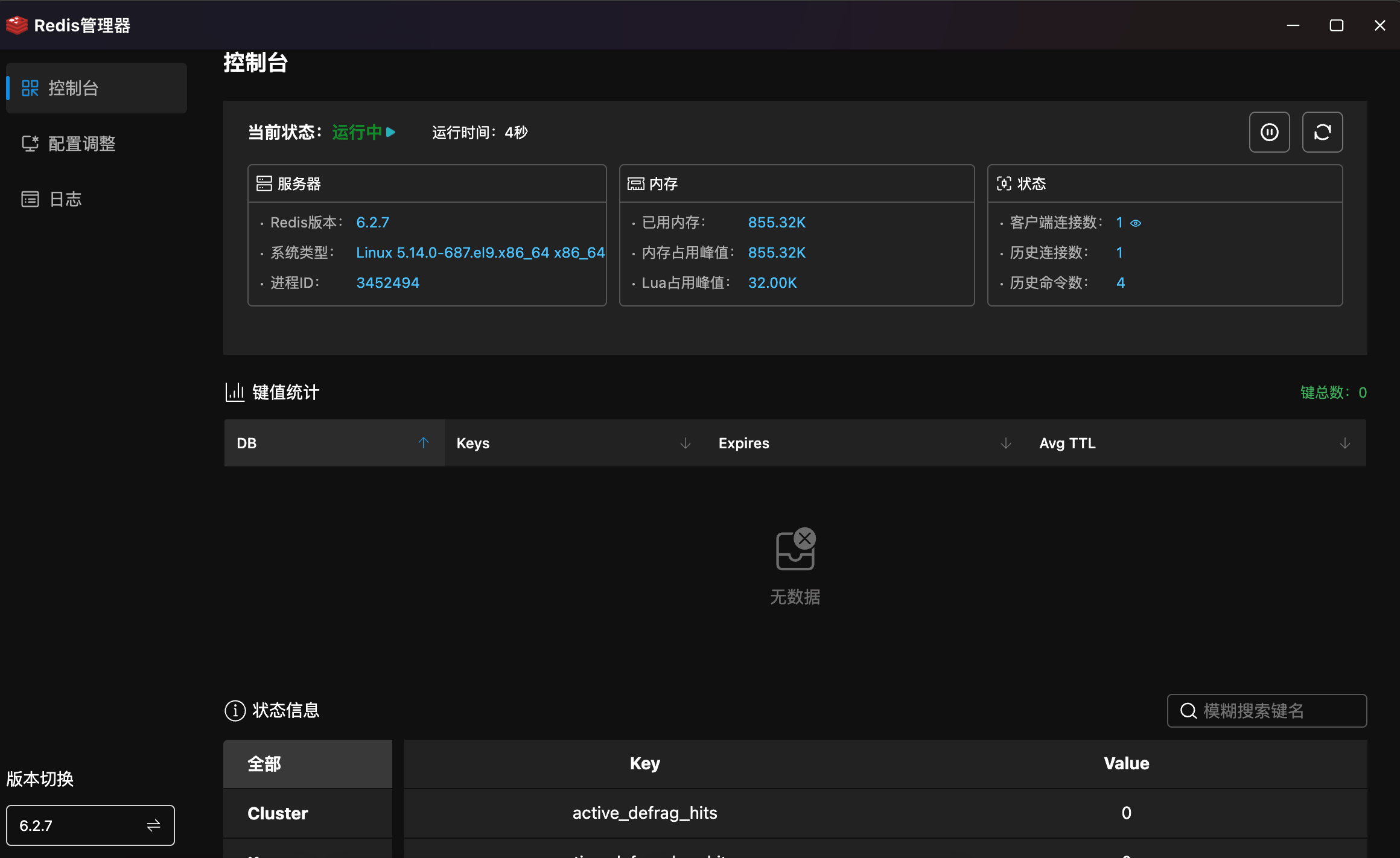
- Status: Header shows service status ("Running ▶") with uptime and green indicator.
- Quick Actions: One-click stop and restart buttons.
- Server Info:
| Category | Metric | Description |
|---|---|---|
| Server | Redis Version | Current version (e.g., 6.2.7) |
| OS Type | Server kernel version | |
| Process ID | Redis PID | |
| Memory | Used Memory | Current memory usage |
| Peak Memory | Historical maximum memory | |
| Lua Peak | Lua engine peak memory | |
| Status | Client Connections | Current active connections |
| Total Connections | Total connections since startup | |
| Total Commands | Total commands executed since startup |
- Key Statistics: Table showing key distribution per database (DB) — Keys, Expires, Avg TTL — with total key count summary.
- Status Info: Bottom panel with category filtering (All, Cluster, Keyspace, etc.) and Key-Value table with fuzzy search.
Configuration
Visual Redis Parameter Tuning. Two tabs: "General" and "Persistence", eliminating the need to manually edit redis.conf.
General Settings
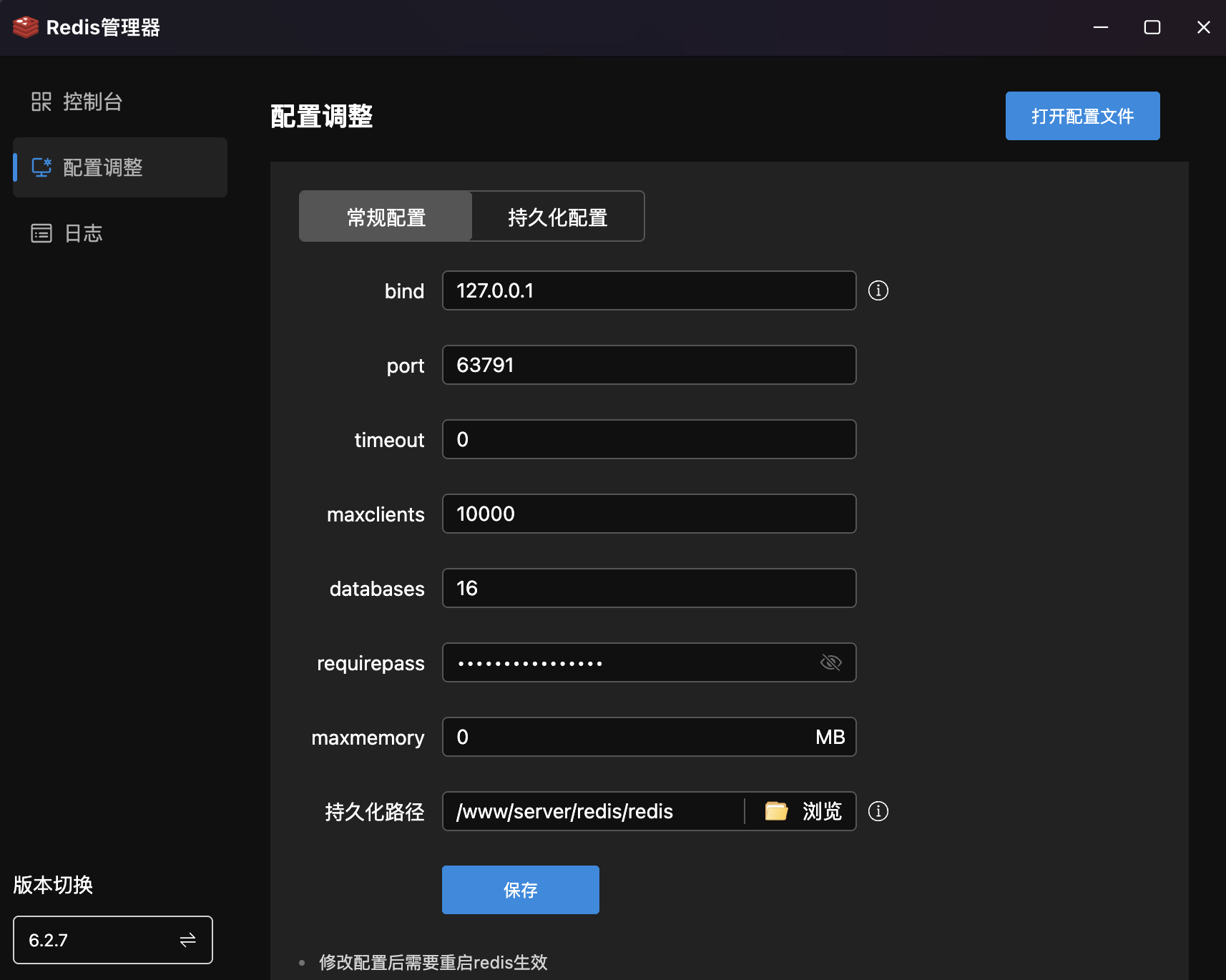
| Parameter | Default | Description |
|---|---|---|
bind | 127.0.0.1 | Listen IP address |
port | 63791 | Redis listen port |
timeout | 0 | Client idle timeout in seconds (0 = no timeout) |
maxclients | 10000 | Maximum client connections |
databases | 16 | Number of databases |
requirepass | •••••• | Access password (show/hide toggle) |
maxmemory | 0 MB | Maximum memory (0 = unlimited) |
Persistence Path | /www/server/redis/redis | Data persistence file path |
- Save: Click "Save" to write changes; restart Redis to apply.
- Open Config File: Top-right button for direct
redis.confediting.
Persistence Settings
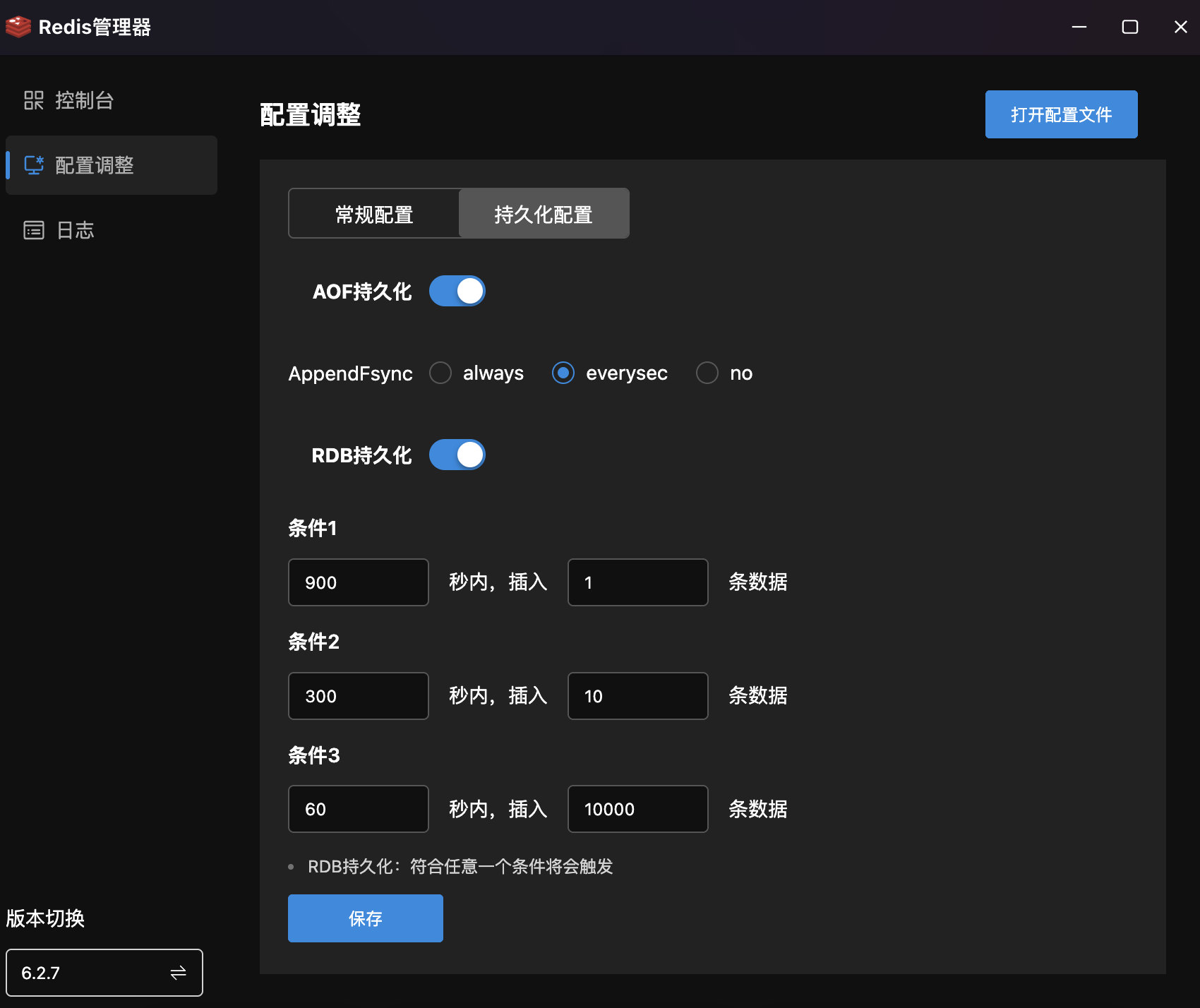
- AOF Persistence: Toggle to enable/disable AOF (Append Only File) mode.
- AppendFsync Strategy:
always— Sync on every write. Highest data safety, lower performance.everysec— Sync every second (recommended). Balances performance and safety.no— OS-determined sync. Best performance, potential data loss.
- AppendFsync Strategy:
- RDB Persistence: Toggle to enable/disable RDB snapshot mode.
- Trigger Conditions: Configure multiple conditions (any triggers a snapshot):
- Condition 1:
900seconds,1write - Condition 2:
300seconds,10writes - Condition 3:
60seconds,10000writes
- Condition 1:
- Trigger Conditions: Configure multiple conditions (any triggers a snapshot):
Logs
Redis Log Viewer & Management. Displays runtime logs including startup info, connections, and anomaly alerts.
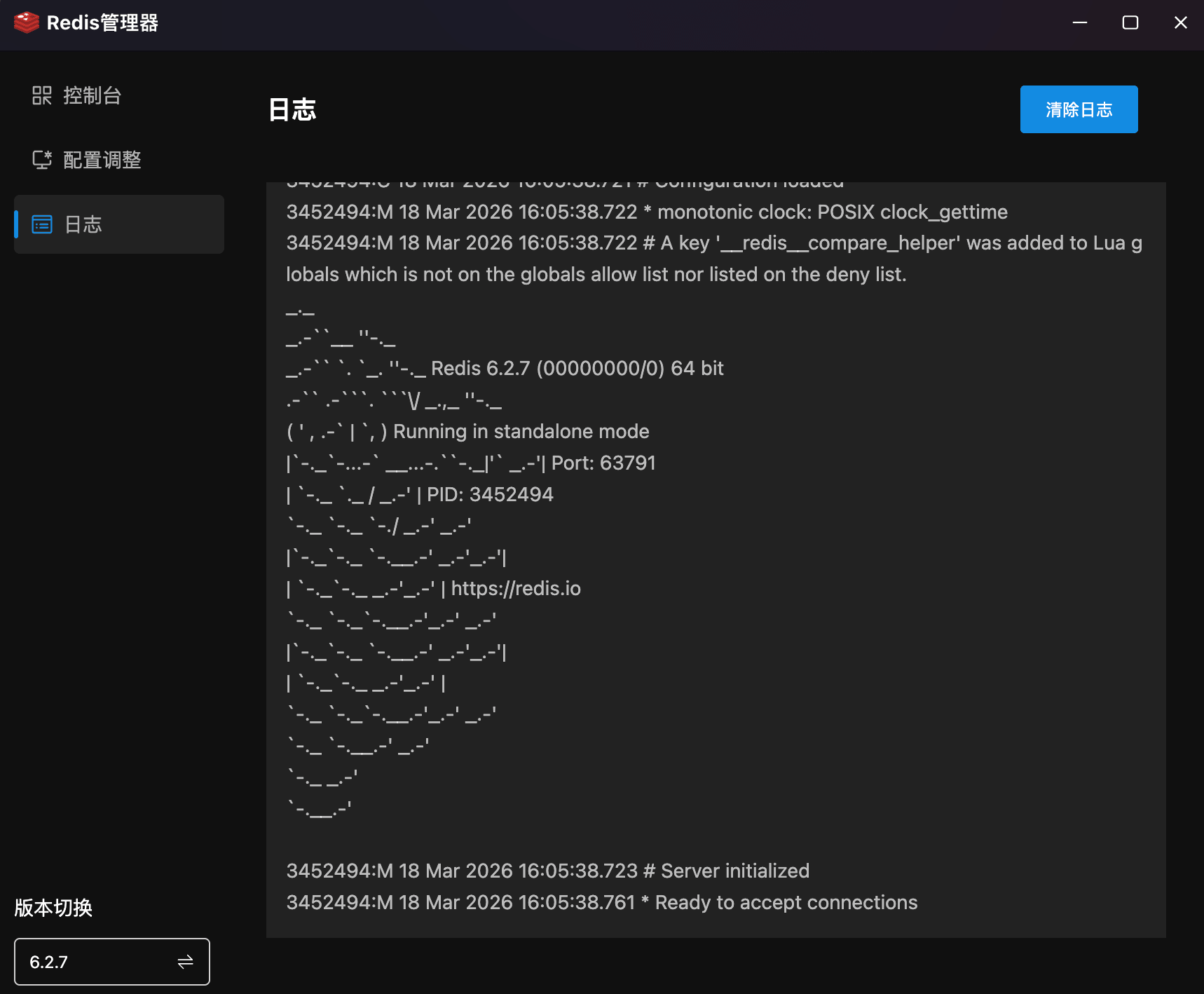
- Log Viewer: Code view showing complete Redis logs with ASCII logo, version, mode (standalone), port, PID, and initialization status.
- Clear Logs: Top-right button to clean log history.
Version Switch
Multi-Version Redis Management. Bottom-left shows current Redis version (e.g., 6.2.7).
- Current Version: Always displays the active version; click to enter version switching.
- Version Switch: Switch between installed Redis versions for testing or upgrades.